

Index of Contents
Are you a digital artist eager to dive into the world of animation? Do you want to bring your characters to life and captivate your audience with mesmerizing movements? If so, you may be wondering where to begin and what principles to master to create compelling animations.
Animation is a dynamic form of digital art that requires a solid understanding of the basic principles and techniques. To help you get started on your animation journey, we will explore the fundamental principles that every digital artist should know. From timing and spacing to anticipation and easing, these principles will unlock the secrets of convincing character animation.
Key Takeaways:
- Mastering the basic principles of animation is crucial for digital artists venturing into the world of animation.
- The 12 Principles of Animation provide guidelines for creating appealing and realistic character animations.
- Timing and spacing are essential in establishing mood, emotion, and personality in animations.
- Squash and stretch add flexibility and energy to objects and characters.
- Anticipation and easing create natural and smooth animations, avoiding robotic movements.
Timing and Spacing in Animation
Timing and spacing are fundamental principles in animation that contribute to the illusion of movement. These principles, drawing inspiration from the laws of physics, elevate animations by establishing mood, conveying emotions, and adding personality to characters.
Timing, primarily determined by the number of frames or the speed of action, influences the overall rhythm and pace of an animation. It allows animators to control the timing of actions, creating deliberate pauses, and giving weight to movements. By carefully adjusting timing, animators can evoke anticipation, build tension, or emphasize certain actions, enhancing the storytelling aspect of their animations.
Spacing, on the other hand, refers to the positioning of individual frames. It determines the placement and distribution of elements over time, affecting the flow and continuity of movement. Skilled animators strategically apply spacing to ensure smooth transitions between frames and the appropriate distribution of action, resulting in seamless and visually appealing animations.
“Timing and spacing are the dynamic duo of animation, allowing digital artists to create captivating and believable movements.”
By carefully considering timing and spacing, animators can exploit the principles of physics to make their animations more realistic. Animation that adheres to the laws of physics resonates with viewers and enhances their immersion in the animated world. Whether it’s the weight and momentum of a character’s movement, the timing of a punchline in a comedic sequence, or the fluidity of a mesmerizing dance routine, physics-inspired timing and spacing elevate animations to new heights.
Let’s take a closer look at how timing and spacing influence animation through a practical example:
In this example, we have a simple animation of a character jumping. By manipulating the timing and spacing, we can achieve different effects:
- In an animation where the character jumps quickly with little spacing between frames, we can create an energetic and spontaneous movement, conveying excitement or thrill.
- Conversely, by extending the timing and spacing, we can slow down the jump, conveying a more dramatic or contemplative mood.
- Varying the timing and spacing between different parts of the animation, such as the anticipation before the jump or the landing, adds complexity and depth to the character’s actions.
Key Takeaways:
- The principles of timing and spacing are essential for creating the illusion of movement in animation.
- Timing determines the speed of action and influences the rhythm and pacing of an animation.
- Spacing refers to the positioning of individual frames, affecting the flow and continuity of movement.
- Timing and spacing adhere to the laws of physics, contributing to the realism and appeal of animations.
- Skilled manipulation of timing and spacing allows animators to evoke emotions, establish mood, and add personality to their animations.
Now that we’ve explored timing and spacing, let’s delve deeper into another fundamental principle of animation: squash and stretch.
Squash and Stretch in Animation
Squash and stretch is an essential animation technique that brings life, flexibility, and a sense of exaggerated movement to objects and characters. By manipulating the shape of an object or character, animators can convey the illusion of weight, impact, and energy. This principle is applied to various elements of animation, including facial expressions, body movements, and even inanimate objects.
One classic example of squash and stretch is the portrayal of a bouncing ball. As the ball falls, it stretches, elongating its shape. When it hits the ground, it squashes and becomes wider. This exaggerated deformation amplifies the perception of the ball’s movement, making it visually appealing and realistic.
The application of squash and stretch in animation extends beyond simple shapes. Facial expressions can be enhanced by exaggerated movements, adding emotion and intensity to characters. Stretching the muscles in an exaggerated way can emphasize surprise, joy, or excitement, while squashing them can emphasize sadness, fear, or disappointment.
Squash and stretch can also be used in combination with other animation principles, such as anticipation and follow through. Anticipation provides a build-up to an action, while squash and stretch heighten the impact. Follow through, on the other hand, adds secondary motions after the main action has occurred, allowing for a more fluid and natural animation.
“Squash and stretch is a powerful tool for animators to create dynamic and visually appealing movements. By pushing the boundaries of reality and exaggerating the shape and deformations of objects and characters, we can add excitement and personality to our animations.”
Let’s take a closer look at how squash and stretch can be applied to different elements of animation:
1. Facial Expressions
Animating facial expressions with squash and stretch can convey a wide range of emotions. By exaggerating the movements of the eyebrows, eyes, mouth, and other facial features, animators can make characters more expressive and relatable.
2. Body Movements
Squash and stretch can be applied to body movements to add impact and energy to animations. Whether it’s a character jumping, running, or dancing, the exaggeration in shape and deformation can enhance the dynamics of the movement, making it more visually appealing.
3. Objects and Props
Even inanimate objects and props can benefit from squash and stretch. By giving them a sense of flexibility and elasticity, animators can bring them to life and make them more engaging for the audience.
| Benefits of Squash and Stretch | Examples |
|---|---|
| Enhances realism and impact | Animating a character jumping and stretching their body mid-air to emphasize height and anticipation. |
| Conveys energy and movement | Animating a rubber ball bouncing with exaggerated squash and stretch to depict a lively and energetic scene. |
| Adds appeal and visual interest | Animating a cartoon character with exaggerated facial expressions, such as stretching the mouth in a comical way to depict surprise or shock. |
Anticipation and Easing in Animation
Anticipation and easing are fundamental animation principles that contribute to the realistic portrayal of movement. Understanding and applying these principles can elevate your animations by adding depth, weight, and fluidity.
Anticipation:
Anticipation establishes a clear build-up before an action occurs. It involves providing the audience with a small, preparatory movement that hints at what is to come next. This anticipation serves several purposes, including improving the clarity of the action, enhancing the storytelling, and creating a more engaging experience for the viewer.
“Anticipation is crucial in animation as it allows the audience to mentally prepare for the action that follows. It adds a sense of realism and expectation to the animation, making it more relatable and captivating.”
By incorporating anticipation, animators can guide the audience’s attention, create suspense, and ensure that the subsequent action is more impactful. For example, before a character throws a punch, they may first lower their arm slightly to indicate the upcoming movement. This anticipation builds tension and creates a sense of anticipation for the viewer.
Easing:
Easing refers to the gradual acceleration and deceleration of movements, mimicking the laws of physics and adding a natural flow to animations. It ensures that actions do not abruptly start or stop but instead have a smooth transition. This principle helps avoid robotic and mechanical animation, creating a more believable and appealing visual experience.
There are two types of easing commonly used in animation: ease in and ease out.
- Ease In: Also known as slow-in, ease in refers to the gradual acceleration of an action. It gives the viewer a moment to anticipate the action by starting it slowly and then building up speed. This type of easing is often used at the beginning of an action.
- Ease Out: Also known as slow-out, ease out is the opposite of ease in. It involves gradually decelerating an action, providing a smooth and natural transition to the next movement. Ease out is commonly used towards the end of an action.
By incorporating easing, animators ensure that movements have a realistic build-up and conclusion. It helps to avoid sudden and jarring motions, which can detract from the overall quality of the animation.
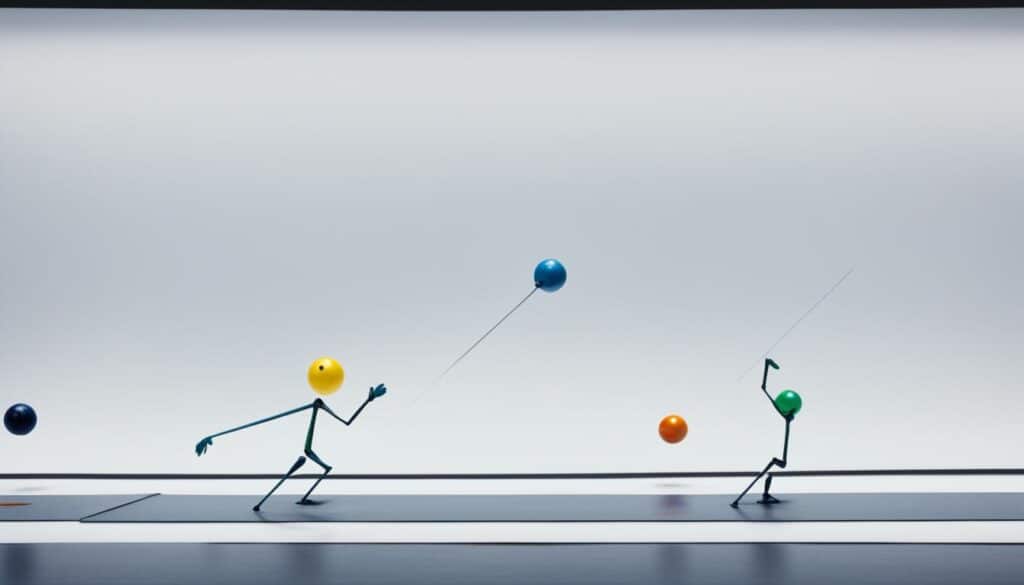
Putting It All Together:
Both anticipation and easing are crucial in creating animations that captivate and immerse the audience. By carefully applying these principles, animators can enhance the illusion of movement, add depth and weight to their characters, and create visually stunning and engaging animations.
| Principle | Description |
|---|---|
| Anticipation | Preparatory movement before a major action, building tension and excitement. |
| Easing | Gradual acceleration and deceleration of movements, creating natural and smooth animation. |
Follow Through and Overlapping Action in Animation
Follow through and overlapping action are two critical animation principles that add life and fluidity to animations. They enhance the realism and appeal of the characters’ movements by incorporating secondary motions and creating a sense of naturalness. Let’s take a closer look at each of these principles:
Follow Through
Follow through refers to the idea that different parts of a character’s body continue moving even after the main action has stopped. This principle mimics the behavior of real-world objects, where not all components come to an immediate halt simultaneously. By implementing follow through, animators can make animations more believable and captivating.
For example, when a character jumps and lands, their hair, clothing, or any loose accessories will continue moving after the impact. These secondary motions create a sense of weight and momentum, adding an extra layer of realism to the animation. Without follow through, the character may appear stiff and unnatural.
Overlapping Action
Overlapping action, also known as drag, involves different parts of the body moving at different times. In a human body, limbs have varying levels of weight and flexibility, resulting in a slight delay between their movements. By animating this natural delay, animators can infuse their characters with an enhanced sense of realism and depth.
For instance, when a character stops abruptly, their arms may still move forward for a brief moment due to the momentum. Similarly, when a character starts walking, their body might shift slightly before their legs begin to move. By adding overlapping action, animators can create more organic movements that bring characters to life.
Incorporating follow through and overlapping action into animations can make a significant difference in the overall quality and appeal of the final product. These principles help prevent animations from looking robotic or stiff, making them more visually engaging and immersive.
So, remember, when animating characters or objects, don’t forget to apply the principles of follow through and overlapping action to give your animations that extra touch of realism and dynamism!
| Follow Through | Overlapping Action |
|---|---|
| Creates secondary motions after the main action has stopped | Involves different parts of the body moving at different times |
| Enhances the sense of weight and momentum | Imitates the natural delay between body parts |
| Makes animations more believable and captivating | Infuses animations with realism and depth |
Conclusion
In conclusion, animation is an intricate art form that requires a solid foundation in the basic principles. By understanding the 12 Principles of Animation, including Timing and Spacing, Squash and Stretch, Anticipation, Ease In and Ease Out, Follow Through and Overlapping Action, and more, digital artists can embark on an exciting journey into the world of digital art animation.
These principles serve as a guide for animators to create compelling and realistic animations that captivate audiences. Each principle contributes to the overall quality and appeal of the animation, allowing artists to truly bring their creations to life.
Whether you are just starting in animation or looking to refine your skills, mastering these animation basics is essential. By applying these principles in your work, you can unlock the secrets of animation and elevate your artistry to new heights.
FAQ
What are the 12 Principles of Animation?
How does timing and spacing contribute to animation?
What is squash and stretch in animation?
How do anticipation and easing enhance animation?
What are follow through and overlapping action in animation?
Why are the 12 Principles of Animation important for digital artists?
Source Links
- https://www.pluralsight.com/blog/film-games/understanding-12-principles-animation
- https://www.bloopanimation.com/animation-for-beginners/
- https://usv.edu/blog/4-animation-principles-a-beginners-guide/
About The Author


