

Index of Contents
YouTube has transformed into a powerful platform for brands to expand their reach and establish a strong online presence. As a brand, standing out in the vast sea of videos requires mastering the art of video editing for YouTube. Effective video editing techniques not only enhance your storytelling but also allow you to convey your brand’s identity with impact. When done right, video editing can elevate your brand’s YouTube presence, drive more traffic to your website, and ultimately boost sales.
YouTube provides a range of video editing tools through YouTube Studio. For beginners or those without access to professional software, these built-in tools can provide a great starting point. However, there are also third-party video editing tools available for more advanced editing needs.
By incorporating these essential video editing tips, you can create captivating videos that resonate with your audience while maintaining your brand’s identity:
Key Takeaways:
- Mastering video editing techniques on YouTube is crucial for brand channels.
- Effective video editing enhances storytelling and communicates brand identity.
- YouTube Studio’s built-in video editing tools are suitable for beginners.
- Third-party video editing tools offer more advanced capabilities.
- By utilizing video editing tips, brands can boost their YouTube presence and drive website traffic.
Best Practices for Editing YouTube Videos
When it comes to editing videos for YouTube, there are several best practices that can help you maximize your reach and optimize your content for search engine optimization (SEO). By following these tips, you can create engaging videos that attract viewers and drive traffic to your channel.
Categorize Your Videos into Playlists
One important practice is to categorize your videos into playlists. By organizing your videos into specific categories, you make it easier for viewers to find content that interests them. Additionally, playlists can help improve your SEO by signaling to search engines that your channel has a cohesive theme and relevant content. Utilize embeddable playlists and conduct proper keyword research to expand your reach and improve search engine rankings.
Deliver Consistent, Engaging Content
Consistency is key when it comes to building an audience on YouTube. Aim to deliver content on a regular schedule to keep viewers engaged and coming back for more. Additionally, make sure your content is aligned with the needs and interests of your target audience. Conduct audience research to understand their preferences and create videos that fulfill their expectations.
Engaging with other related channels can also help boost your community standing and increase your subscriber base. Collaborate with other creators, participate in discussions, and showcase your expertise to build relationships within the YouTube community.
Add Captions and Create Eye-catching Thumbnails
Adding captions to your videos can improve accessibility and make it easier for users to engage with your content, especially for viewers who are hearing impaired or prefer to watch videos without sound. Captions also help search engines understand the content of your videos, which can improve your SEO.
Creating eye-catching thumbnails is another essential practice. Thumbnails act as a visual preview of your video and can significantly impact click-through rates. Use compelling images, bold text, and vibrant colors to grab viewers’ attention and entice them to click on your videos.
Incorporate Critical Words into Descriptions and Titles
Make sure to incorporate critical keywords into your video descriptions and titles. This will improve the visibility of your videos in search results and help attract relevant viewers. Conduct thorough SEO research to identify the most effective keywords for your target audience and include them strategically in your video metadata.
Utilize Relevant Topic Tags
Take advantage of YouTube’s topic tagging feature to enhance your video’s SEO performance and reach. Use relevant topic tags that accurately describe the content of your video, making it easier for users to find and engage with your videos.
By implementing these best practices, you can optimize your YouTube videos for maximum visibility and engagement. Remember to continuously analyze and refine your video editing strategies based on your audience’s feedback and analytics to ensure the long-term success of your channel.
YouTube’s Video Editing Tools
YouTube offers a built-in video editor called YouTube Studio, which is a great tool for basic video editing. With YouTube Studio, creators can easily trim their videos to remove any unwanted frames or content. Trimming videos helps in keeping the video concise and engaging for the audience.
In addition to trimming, YouTube Studio also allows users to blur specific objects or individuals in their videos. This feature is particularly useful when there is a need to protect privacy or maintain anonymity in certain scenes. By blurring objects, creators can ensure that sensitive information or faces are not visible to the viewers.
While YouTube Studio provides basic editing capabilities, there are also third-party video editing tools available for more advanced editing needs. Premiere Elements, Final Cut Pro X, and Premiere Pro are some popular choices among content creators and professionals. These tools offer a wide range of advanced features, such as VR and 4K video support, collaborative editing, motion graphics integration, and much more. They provide a comprehensive set of tools and effects to take your video editing to the next level.
So, whether you are a beginner looking for basic editing functionalities or a professional aiming for advanced editing capabilities, YouTube and third-party tools have got you covered. Choose the tool that suits your requirements and start creating stunning videos for your YouTube channel.
“YouTube Studio is a convenient built-in editor that makes it easy for creators to perform basic edits without the need for additional software.” – John Smith, Video Editing Expert
YouTube’s Video Editing Tools – At a Glance
| Tool | Features |
|---|---|
| YouTube Studio |
|
| Premiere Elements |
|
| Final Cut Pro X |
|
| Premiere Pro |
|
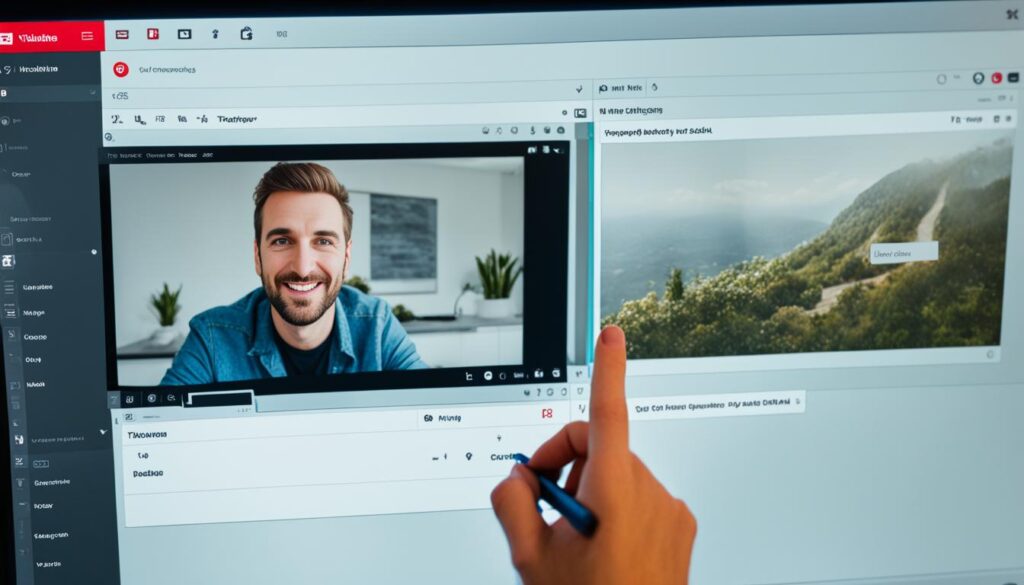
With these video editing tools at your disposal, you can unleash your creativity and produce professional-looking videos for your YouTube channel. From basic edits to advanced effects, the options are endless. Choose the tool that best suits your needs and start creating captivating content that will engage and inspire your audience.
Conclusion
Video editing plays a crucial role in creating high-quality brand videos on YouTube. By learning essential video editing tips and utilizing YouTube’s built-in video editor or other third-party editing tools, brands can enhance their storytelling and brand identity on the platform.
Consistency, engagement, and optimization are key when editing YouTube videos. Incorporating best practices such as categorizing content, adding captions and engaging thumbnails, and optimizing titles and descriptions is essential for success. These practices help brands capture the attention of their target audience and improve their search engine rankings.
Integrating video content with email marketing platforms like Mailchimp can further amplify a brand’s reach. By leveraging the power of email marketing, brands can seamlessly incorporate their videos into their overall marketing strategy and connect with a wider audience, ultimately maximizing their video’s impact.
With the right video editing techniques and strategies, brands can effectively elevate their YouTube presence, increase engagement, and drive more sales. By consistently delivering high-quality videos that resonate with their viewers, brands can establish themselves as a trusted authority in their industry and foster strong connections with their audience.
FAQ
Can I edit videos directly on YouTube?
Yes, YouTube offers a built-in video editor called YouTube Studio that allows you to perform basic editing functions.
What can I do with YouTube Studio’s video editor?
With YouTube Studio, you can trim the beginning and end of your videos, trim the middle to remove unnecessary content, and blur specific objects or individuals in your videos.
Are there other video editing tools available for more advanced editing needs?
Yes, there are third-party video editing tools like Premiere Elements, Final Cut Pro X, and Premiere Pro that offer more advanced features and capabilities.
How can I categorize my videos on YouTube?
Categorizing your videos into playlists can help maximize your reach and optimize SEO.
What are some best practices for editing YouTube videos?
Best practices include conducting proper keyword research, delivering consistent and engaging content, serializing your content, engaging with related channels, and adding captions, eye-catching thumbnails, and critical words in your video descriptions and titles.
How can I optimize my video’s SEO performance on YouTube?
You can optimize your video’s SEO performance by utilizing relevant topic tags and embedding playlists to reach viewers outside of the platform and improve search engine rankings.
Can I integrate video content with email marketing platforms?
Yes, integrating video content with email marketing platforms like Mailchimp can help you reach a wider audience and maximize your video’s impact.
About The Author


